
Haruna
Categorías: Multimedia
Otras plataformas:
Multimedia
Otras plataformas:  Windows
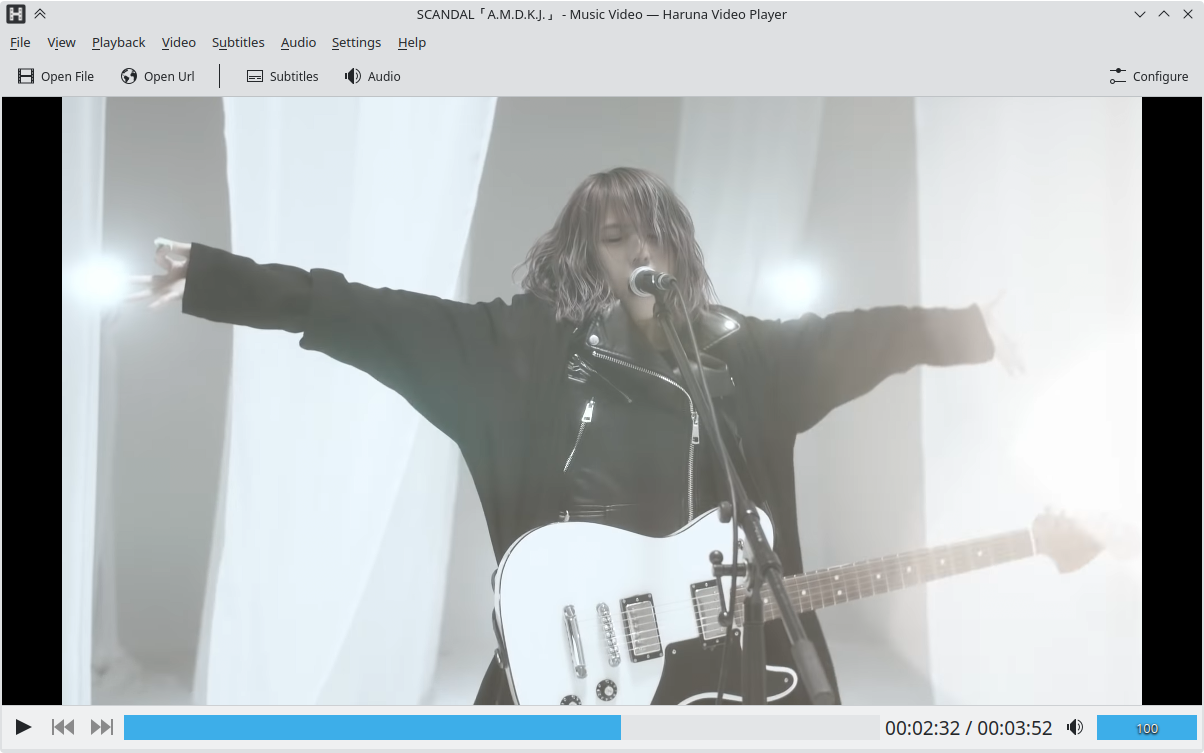 Ventana principal de Haruna
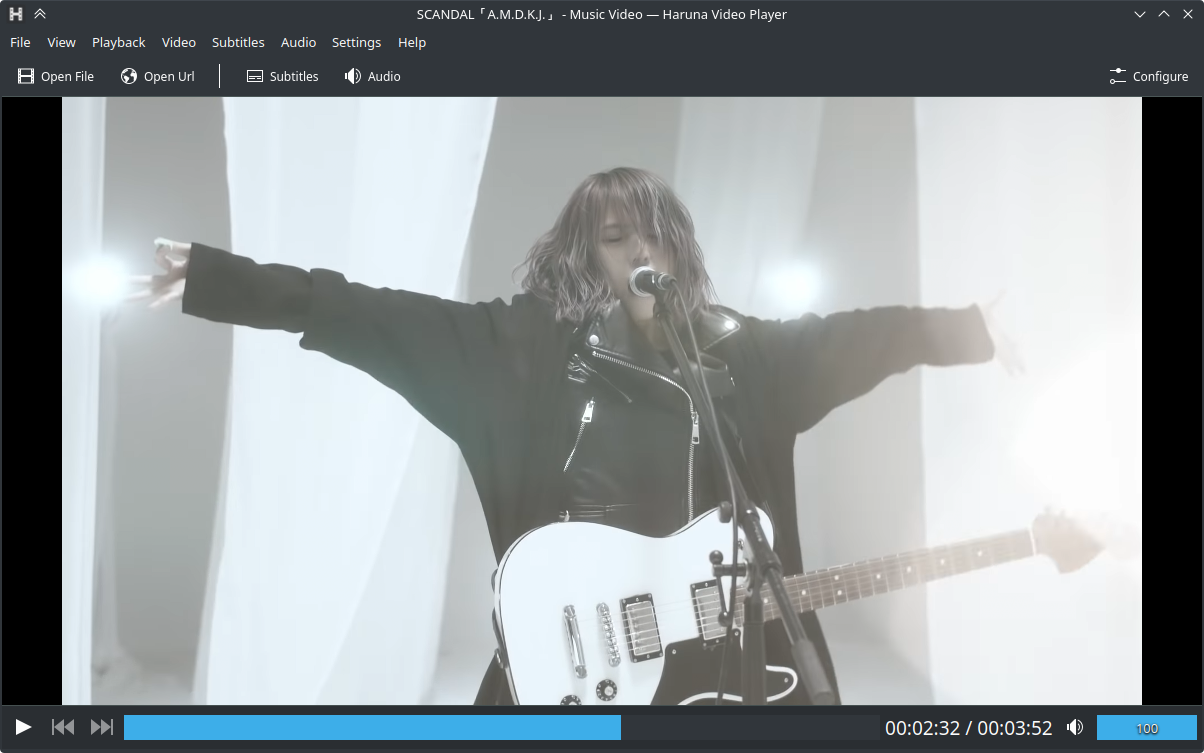 Ventana principal de Haruna con el esquema de color Brisa oscuro
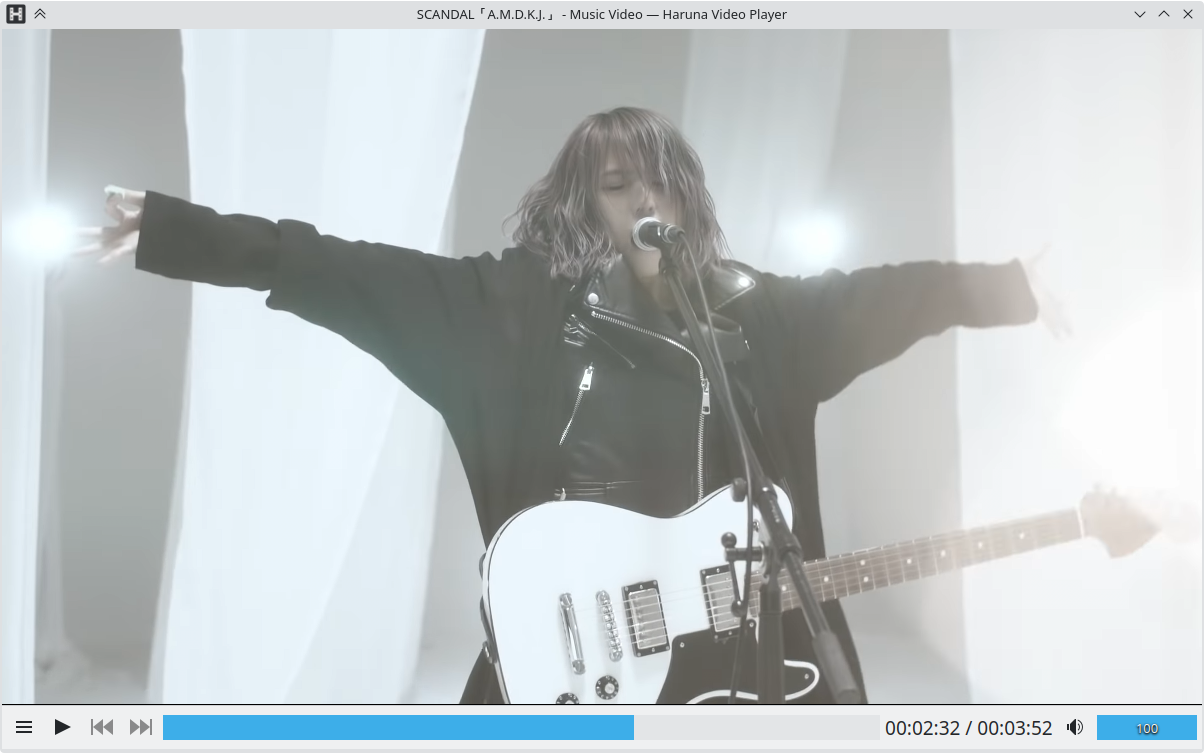 Haruna sin las barras de menú ni de herramientas
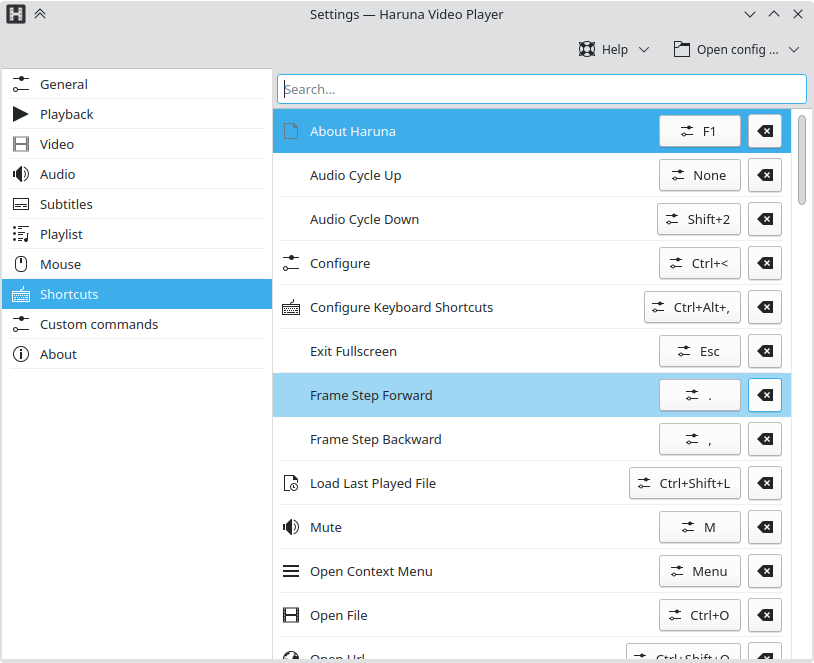 Ventana de preferencias de Haruna
Reproductor multimedia de código abierto con muchas opciones para que funcione a su gusto.
Funcionalidades
- reproducción de vídeos en línea, usando youtube-dl
- permite listas de reproducción de YouTube
- conmutar la lista de reproducción al situar el ratón, que se superpone al vídeo
- omitir automáticamente capítulos que contengan ciertas palabras
- atajos de teclado y botones del ratón configurables
- salto rápido al siguiente capítulo mediante clic central en la barra de avance



Lanzamientos RSS
1.8.1 2026-05-19
Funcionalidades
- abrir varios archivos desde la línea de órdenes, permite abrir solo los archivos seleccionados en el gestor de archivos
- acción de parada, disponible en el menú de reproducción
- ajuste para activar el avance en la barra de tareas
- mostrar archivo/título en el OSD cuando se abre un archivo
- mpris: encontrar y definir carátula de un archivo de imagen externo para archivos de sonido que no contienen carátulas internamente
- animación de carga personalizada
- ajuste para la propiedad «sub-border-style» de mpv
- Lista de reproducción: opción de menú para abrir archivos en la aplicación MediaInfo (si está instalada).
- Lista de reproducción: permitir ordenar de forma ascendente o descendente para la opción «Ninguna».
- Lista de reproducción: indicador de la posición de continuación de la reproducción debajo de la duración.
- Lista de reproducción: el asa para arrastrar elementos se muestra ahora al situar el cursor encima.
Correcciones de fallos:
- ocultar el botón del menú de capítulos cuando no existen capítulos
- el botón de reinicio de la familia de fuentes no guarda el ajuste
- Lista de reproducción: restaurar la última lista de reproducción activa solo si se abre sin un archivo.
- Lista de reproducción: desplazamiento lento para reproducir un elemento durante el inicio.
- Lista de reproducción: los clics activan el elemento de la lista de reproducción que hay debajo de la pestaña.
- Lista de reproducción: no hay menú en las pestañas.
1.7.1 2026-01-14
Correcciones de fallos:
- Se ha corregido la búsqueda en listas de reproducción.
- Se ha corregido que el fondo de las ayudas emergentes fuera del mismo color que su texto.
1.7.0 2025-12-21
Funcionalidades
Lista de reproducción
- Se ha añadido ordenación avanzada y agrupamiento.
- Se ha añadido un menú de contexto para abrir archivos en Hana (generador de miniaturas, solo si está instalado).
- La última lista de reproducción usada se mostrará cuando se inicie la aplicación.
Otros
- se han añadido ajustes de ganancia de repetición
- la miniatura de mpris solo se define para archivos de sonido, esto permite que la vista previa de la barra de tareas del sistema operativo muestre la ventana real en vivo.
- se ha disminuido el tamaño del icono de reproducción en la lista de reproducción compacta.
Correcciones de fallos:
- se ha corregido que la carpeta de la base de datos no se creara
- se ha corregido que la ayuda emergente de la barra de posición no se actualizara cuando cambia el archivo y el ratón no se mueve
- se ha corregido el borrado de órdenes personalizadas
- se ha corregido la operación de guardar la última URL abierta
1.6.0 2025-10-24
Funcionalidades
- Se ha añadido una opción para cambiar el tamaño de la lista de reproducción
- Se ha movido la acción para añadir una nueva lista de reproducción o pestaña a la barra de pestañas
- Se ha movido la acción para abrir una lista de reproducción al menú «Añadir»
- Se ha añadido un icono para la acción de reproducción en la cabecera de la lista de reproducción
- Ajustes del ratón: la acción asignada a un evento del ratón se puede cambiar
Correcciones de fallos:
- Se ha corregido el bucle de la lista de reproducción con un solo archivo
- Se ha corregido que no se guardaran las pestañas de la lista de reproducción
- Se ha corregido el cambio de nombre de la lista de reproducción justo después de añadirla
- Se ha corregido el problema por el cual los botones siguiente/anterior se desactivaban al añadir elementos soltándolos en el área de arrastre «Añadir a la lista de reproducción».
- Se ha corregido el problema por el cual la acción de reproducir anterior no saltaba desde el primer elemento de la lista de reproducción hasta el último.
- Se ha corregido el problema que impedía añadir una nueva pestaña de lista de reproducción cuando yt-dlp no estaba instalado.
- Se ha añadido una solución alternativa para los diálogos de archivos que no recibían eventos de teclado (la tecla Escape y las flechas no funcionaban).
1.5.0 2025-09-30
Funcionalidades
Preferencias
- General: se ha añadido un ajuste de instancia única para reproducir un archivo nuevo al añadirlo a la lista de reproducción.
- General: se ha eliminado
- Lista de reproducción: se han añadido ajustes para controlar el comportamiento de la reproducción.
- Ratón: se ha refactorizado para permitir teclas modificadoras.
- Ratón: se ha añadido compatibilidad con los botones de avance y de retroceso del ratón.
- Subtítulos: si el nombre de una carpeta relativa en la lista
- La ventana de preferencias tiene ahora un anchura y altura mínimas.
Lista de reproducción
- Compatibilidad con múltiples listas de reproducción.
- Los elementos se pueden reordenar a mano mediante arrastrar y soltar.
- Los elementos se pueden seleccionar: Ctrl+clic para seleccionar múltiples elementos, Mayús+clic para seleccionar un intervalo.
- Los elementos se pueden filtrar.
- Se han añadido ajustes para controlar el comportamiento de reproducción cuando finaliza un archivo.
- Al guardar la lista de reproducción se usa la extensión de archivo m3u.
- Se pueden añadir archivos y carpetas mediante arrastrar y soltar.
- Se pueden añadir múltiples archivos mediante la opción del encabezado.
- Ocultar la lista de reproducción cuando el ratón abandona la ventana mientras está maximizada (impide que se abra la lista de reproducción cuando se mueve el ratón a otro monitor).
Reproducción
- Si no se puede reproducir un archivo, ahora se muestra un error y se detiene la reproducción en lugar de intentar reproducir el siguiente archivo (impide un potencial bucle infinito cuando no se puede reproducir ningún archivo de la lista de reproducción).
- Se pueden reproducir archivos que empiecen por un punto (archivos ocultos).
- Se muestra un error cuando no se puede obtener la lista de reproducción de youtube.
Otros
- mpris: se ha añadido compatibilidad para Shuffle y LoopStatus.
- Se ha cambiado la ventana emergente de selección de acción para que use Kirigami.SearchDialog.
- Se ha sustituido el icono giratorio por una barra de avance y una etiqueta.
- El área del vídeo para soltar elementos está dividida ahora en dos partes.
- La parte superior siempre añade a la lista de reproducción predeterminada.
- La parte inferior borra la lista de reproducción predeterminada y añade los archivos y carpetas soltados. Cuando solo se suelta un archivo, se comporta como la acción de abrir archivo (borra la lista de reproducción y carga los archivos del mismo nivel, si está activado en las preferencias).
- Los archivos recientes se guardan ahora en una base de datos de sqlite.
- Las posiciones de tiempo usadas para restaurar vídeos también se guardan en la base de datos.
- La suspensión también se bloquea en Windows.
- Ahora se deberían poder traducir todas las cadenas.
Correcciones de fallos:
- Se ha corregido la acción del bucle, el OSD no se mostraba y la barra de avance no resaltaba el intervalo del bucle.
- Comprobar que el archivo existe antes de cargarlo.
- Se ha corregido la carga de subtítulos erróneos cuando se usan subtítulos recursivos.
- Se ha corregido el aumento de la altura de la barra de avance cuando el menú de capítulos se hacía visible.
- Se ha corregido un fallo que hacía que el vídeo se pausara al hacer clic en la barra de avance.
1.4.0 2025-04-15
Funcionalidades
- Se ha añadido un ajuste para buscar subtítulos de forma recursiva. Se busca en las carpetas relativas a la carpeta base del archivo que se está reproduciendo y en las carpetas definidas en el ajuste «Cargar subtítulos de».
- Se ha añadido compatibilidad con la apertura de listas de reproducción de YouTube a través de las URL que contienen un identificador de lista de reproducción.
- Se han añadido acciones para rotar el vídeo en sentido horario (Ctrl+R) y antihorario (Ctrl+E).
Correcciones de fallos:
- Se han corregido los menús de las pistas que mostraban pistas de archivos abiertos anteriormente.
- Se ha solucionado el problema por el cual los subtítulos añadidos mediante arrastrar y soltar no se añaden al menú de subtítulos.
- Al pulsar el deslizador de avance/búsqueda, el vídeo se pone en pausa. Se ha corregido el problema que hacía que se abriera continuamente el siguiente vídeo al arrastrar y mantener pulsado hasta el final.
1.3.3 2025-02-24
Correcciones de fallos:
- Se ha corregido el problema que hacía que la aplicación no obtuviera el foco al abrir un archivo cuando está activada una única instancia y el reproductor está abierto.
- Se ha corregido el problema de superposición del título de la ventana con la información de duración en el pie de página.
- Se ha implementado la inhibición de la pantalla en Windows.
1.3.2 2025-01-22
Correcciones de fallos:
- Se ha corregido el problema que impedía que los atajos de teclado no funcionaran con idiomas del sistema distintos del inglés.
- Se ha corregido la restauración de la posición en la lista de reproducción.
1.3.1 2025-01-21
Correcciones de fallos:
- Se ha corregido la inhibición de la pantalla.
- Se ha corregido el cambio del volumen mediante mpris2.
1.3.0 2025-01-15
Se ha realizado una gran refactorización del código fuente, por lo que debería informar de cualquier fallo que pudiera encontrar. El menú de «Ayuda» contiene una entrada «Informar de fallo» para ello, y también se puede hacer desde las preferencias de la página «Acerca de».
Funcionalidades:
- Se han modificado los ajustes relacionados con la restauración de la posición de reproducción; si había modificado los valores predeterminados, es posible que tenga que volver a configurarlos.
- Lista de reproducción: se han añadido entradas al menú de contexto para abrir URL no locales en el navegador y eliminarlas (de la lista de reproducción).
- Se ha añadido una opción (en «General») para iniciar la aplicación a pantalla completa.
- Se ha añadido una opción (en «Subtítulos») para controlar la selección automática de subtítulos.
- Se han modificado las acciones predeterminadas de los botones izquierdo y derecho del ratón: ahora, al hacer clic izquierdo se reproduce/pausa y al hacer clic derecho se abre el menú de contexto. Las acciones se pueden cambiar en la página de configuración del ratón.
- Al arrastrar la barra de posición/avance, se actualizará tanto la vista principal como la vista previa de la barra de posición.
- Se ha disminuido el tamaño mínimo de la ventana.
- Se ha sustituido la casilla de «descodificación por hardware» por una opción en la lista desplegable de descodificación por hardware.
Correcciones de fallos:
- Se ha mejorado el rendimiento del desplazamiento en la lista de reproducción, los atajos de teclado y el menú de capítulos de la barra de posición.
- Se ha corregido un problema al configurar atajos de teclado con teclas modificadoras (Ctrl, Alt, etc.).
- Se ha corregido el problema de que las pistas de audio y subtítulos activas no se comprobaban correctamente.
- Se ha eliminado la barra de herramientas de la cabecera vacía en la ventana de configuración.
- Se ha corregido un error que provocaba que la aplicación se congelara al cargar un archivo con muchas pistas.
- Se ha mejorado la animación de la barra de menú.
- El pie de página flotante se oculta ahora cuando el ratón sale de la aplicación.
1.2.1 2024-09-27
Correcciones de fallos:
- Se ha corregido el problema por el cual la ventana emergente de vista previa de la miniatura no cambiaba de tamaño después de desactivar las vistas previas.
- Usar el mismo componente de volumen para ambos estilos de pie de página.
1.2.0 2024-08-26
Funcionalidades:
- Se ha añadido un estilo de pie de página/barra de herramientas inferior flotante.
- Se ha eliminado el docbook y se ha movido su contenido a las ayudas emergentes.
- Al hacer clic con el botón central del ratón en la lista de reproducción, se desplaza hasta el elemento que se está reproduciendo.
1.1.2 2024-06-03
Correcciones de fallos:
- Desactivar los menús y los botones de selección de pistas cuando no hay pistas para seleccionar.
- Se ha corregido la conmutación de orden personalizada.
- Se han vuelto a añadir las opciones «Desplazarse al elemento que se está reproduciendo» y «Enviar archivo a la papelera» al menú de contexto de la lista de reproducción, que se perdieron durante la adaptación a Qt6.
- Se han corregido algunas propiedades de mpv que no se configuraban correctamente al iniciar.
- Se ha corregido la visualización de vídeo en Windows.
1.1.1 2024-05-17
Correcciones de fallos:
- El menú de subtítulos no incluye los subtítulos añadidos manualmente.
- Duración 0 en la lista de reproducción.
- La ventana emergente de vista previa se muestra para los archivos de audio.
- El bucle AB no se reinicia.
1.1.0 2024-04-19
Funcionalidades:
- Ajuste para abrir elementos de la lista de reproducción con un solo clic.
Correcciones de fallos:
- El vídeo se abre en una ventana independiente al usar la versión 0.38.0 de mpv.
- Restablecimiento del silencio al abrir un archivo nuevo.
- El elemento que se está reproduciendo en la lista de reproducción ya no aparece en negrita, ya que dificultaba la lectura del texto en determinadas situaciones.
1.0.2 2024-03-25
Correcciones de fallos:
- Ajuste para ocultar o mostrar la barra de herramientas de la lista de reproducción.
- Submenús de pistas vacíos en los menús globales de sonido y subtítulos.
- Bloqueo de la aplicación al abrir el menú de hamburguesa.
1.0.1 2024-03-14
Adaptación a Qt6.
Se han eliminado algunas opciones de hwdec; si es necesario, se pueden configurar en los ajustes en «Órdenes personalizadas», como `set hwdec decoding_method_name` y elegir «Ejecutar al inicio».
Funcionalidades:
- Abrir elementos de la lista de reproducción es más rápido.
- Si la opción «Número máximo de archivos recientes» se ajusta a cero, los archivos recientes se eliminan del archivo de configuración.
Correcciones de fallos:
- Al abrir el archivo mediante la acción «Abrir archivo», no se reproducía el archivo.
- Abrir el archivo de lista de reproducción desde el encabezado de la lista de reproducción no hacía nada.
0.12.3 2023-11-15
Correcciones de fallos:
- Se ha corregido el problema por el cual el diálogo de selección de subtítulos no se abría en la carpeta donde se encuentra el archivo que se está reproduciendo.
- Se ha corregido un problema por el cual la lista de reproducción cubría el pie de página/barra de herramientas inferior y dificultaba cerrarla cuando la opción de conmutar con el ratón estaba desactivada.
- Se ha corregido el borrado de la lista de reproducción.
- Se ha corregido el problema por el cual la URL no se añadía a los archivos recientes al abrirlos mediante la acción «Abrir URL».
Funcionalidades:
- Se ha añadido el atajo de teclado «Escape» para cerrar la ventana de preferencias.
0.12.2 2023-11-02
Correcciones de fallos:
- No mostrar la ventana emergente de vista previa cuando no haya ningún archivo cargado o al reproducir un vídeo en línea.
- Se ha corregido el problema de las miniaturas que no funcionaban en la lista de reproducción.
0.12.1 2023-08-31
Correcciones de fallos:
- Se ha corregido el problema que hacía que el archivo se pausara durante el inicio en determinados casos.
- Se ha corregido el color del texto de la ayuda emergente de la barra de avance.
- Se han corregido las acciones para mover el vídeo hacia arriba o hacia abajo y para reducir el tamaño del texto de los subtítulos.
- Se ha corregido la apertura de la lista de reproducción sobre el vídeo cuando la configuración de superposición está desactivada.
0.12.0 2023-08-25
Funcionalidades:
- Se ha añadido una miniatura de vista previa a la barra de avance; se puede configurar en la página de preferencias generales.
- Se ha añadido una opción para permitir una única instancia; se puede configurar en la página de preferencias generales.
- Se ha añadido una ventana emergente de selección de acciones que permite buscar entre todas las acciones disponibles y ejecutarlas (se abre con Ctrl+` [acento grave], de forma similar a KCommandBar).
- Se ha añadido una opción para ajustar automáticamente el tamaño de la ventana a la resolución del vídeo; en Wayland, el tamaño máximo no está limitado.
- Se ha añadido una opción para ocultar la barra de herramientas de la lista de reproducción.
- Se ha añadido una opción para cada página de preferencias al menú de preferencias.
- La ruta de la captura de pantalla se muestra en el OSD cuando se usa mpv 0.36.0 u otra versión posterior.
- Se ha añadido una entrada «Ir al elemento en reproducción» al menú de contexto de la lista de reproducción.
- Se ha añadido una entrada «Abrir URL» al menú de contexto de la lista de reproducción para URL en línea.
- Ahora se usan animaciones para mostrar y ocultar la barra de menú y las barras de herramientas superior e inferior.
- Se han añadido entradas de selección de pistas al menú de hamburguesa.
Correcciones de fallos:
- Se ha corregido que no se bloqueara la inhibición (apagar la pantalla, dormir, etc.) durante la reproducción.
0.11.3 2023-07-12
Correcciones de fallos:
- Se ha corregido el problema de los botones de selección de color en la configuración de subtítulos que no reflejaban el color actual.
- Se ha corregido que los cambios de color no se aplicaran inmediatamente a los subtítulos.
0.11.2 2023-07-08
Correcciones de fallos:
- Se ha corregido que no se mostrara el OSD.
- Se ha corregido la adición de elementos a la lista de reproducción.
- Se han corregido los valores erróneos que se mostraban en el OSD.
- Se ha corregido que el tamaño del texto de los subtítulos no se cargara de la configuración.
- Se ha corregido el cambio de tamaño de la barra de avance cuando no se usa un tipo de letra monoespacio o de ancho fijo.
- Se ha corregido que la barra de herramientas superior/inferior no se ocultara al mover al monitor inferior cuando Haruna estaba a pantalla completa.
0.11.1 2023-05-28
Correcciones de fallos:
- Se ha corregido el problema de la función de salida.
- Se ha corregido que no se mostrara el OSD.
- Se ha corregido la repetición de la lista de reproducción al desactivar el ajuste de repetición.
0.11.0 2023-05-14
Se ha refactorizado el código fuente de mpv para mejorar el rendimiento. Es posible que todavía exista algún fallo. Informe de los que encuentre en bugs.kde.org.
Funcionalidades:
- Al restaurar la ventana tras minimizarla, el estado de la lista de reproducción vuelve a como estaba antes de minimizarla (solo se aplica cuando se activa «Pausar al minimizar»).
- Se ha añadido una página de preferencias de depuración, que muestra las rutas de los archivos de configuración y permite abrirlos.
Correcciones de fallos:
- Se ha corregido que no se pudiera abrir archivos si su ruta contenía ciertos caracteres.
- Se ha corregido el problema que impedía abrir archivos .ts y .rm.
- Se ha corregido un error que impedía que algunos campos de texto guardaran su valor en determinadas circunstancias.
- Se ha corregido el problema con la configuración del formato de captura de pantalla.
- Se ha corregido el problema que hacía que no se cerrase el menú de archivos recientes.
- Se ha corregido que el menú de contexto de la lista de reproducción no se cerrara al ocultar la lista de reproducción.
0.10.3 2023-01-29
Funcionalidades:
- Lista de reproducción: se han añadido opciones para abrir archivos m3u (sin implementar atributos extendidos), añadir archivos y URL (solo se mostrará la ruta de la URL, sin título ni duración), ordenar, borrar y guardar la lista de reproducción.
- Lista de reproducción: se ha añadido un menú de contexto para los elementos de la lista.
- Lista de reproducción: se ha añadido un ajuste para recordar el estado de la lista.
- Subtítulos: se ha añadido un ajuste para mostrar los subtítulos con borde negro.
- Vídeo: se ha añadido un ajuste para definir una carátula predeterminada para los archivos de música.
- Se ha añadido una opción a la línea de órdenes para anular el ajuste de selección del formato «ytdl» (esta opción se anula si se modifica el ajuste de la interfaz gráfica).
- Se ha añadido una miniatura para MPRIS.
Correcciones de fallos:
- Archivos recientes: se ha corregido el orden, la existencia de duplicados, el borrado y la adición de elementos cuando la lista está llena.
- Se ha corregido que el OSD no mostrara texto.
- Lista de reproducción: se ha corregido la falta de funcionalidad del ajuste «Aumentar el tamaño del texto en pantalla completa».
- Lista de reproducción: se ha eliminado el ajuste «rowHeight».
Correcciones de fallos de 0.10.1:
- Se ha corregido el problema de que no se reproducía automáticamente el siguiente archivo en la lista de reproducción cuando finalizaba el archivo actual.
- Se ha corregido el problema que impedía la reproducción de archivos abiertos cuando la opción «Cargar automáticamente vídeos de la misma carpeta» estaba desactivada.
Correcciones de fallos de 0.10.2:
- Se ha corregido un error que provocaba un fallo cuando el ajuste «Número máximo de archivos recientes» se definía a cero.
Correcciones de fallos de 0.10.3:
- Se ha corregido que el último archivo reproducido no se recordara en algunas ocasiones.
- Se ha corregido que una duración superior a 24 horas no se mostrara correctamente y se mezclara con las etiquetas de los capítulos.
- El menú de capítulos se ha reescrito para que tenga más capacidad de respuesta cuando existen muchos capítulos.
- Se ha corregido la apertura de rutas relativas de los archivos de lista de reproducción.
- Se ha corregido la apertura de archivos que contienen el carácter «#».
0.9.3 2022-10-06
Funcionalidades de 0.9.0:
- Se ha reorganizado la configuración de los atajos de teclado; ahora está disponible en la ventana de configuración junto con las demás opciones en lugar de abrir otra ventana.
- El menú de hamburguesa solo muestra ahora algunas acciones; el resto están disponibles en un submenú.
- Cuando la barra de menú está oculta, el menú de hamburguesa se mostrará en el encabezado/barra de herramientas, y cuando el encabezado está oculto, se mostrará en el pie de página.
- Se ha añadido un menú de contexto adecuado para el vídeo.
- Se ha añadido un ajuste para iniciar la reproducción cuando se reanude la reproducción de un archivo.
- Se ha añadido un ajuste para definir el número máximo de archivos recientes.
- Se ha añadido una opción para borrar la lista de archivos recientes.
- Se ha añadido un ajuste para restaurar el tamaño y la posición de la ventana.
- Se han añadido ajustes para personalizar la familia del tipo de letra para los subtítulos, su tamaño, su estilo (negrita, cursiva), su color, el color y el desplazamiento de la sombra, y el color y la anchura del borde.
- Se han movido los ajustes de posición a la página de preferencias de reproducción.
- Se ha movido el ajuste de pasos del volumen a la página de preferencias de sonido.
- Las órdenes personalizadas que se ejecutan durante el arranque se pueden desactivar para que no se lancen en la siguiente ejecución.
- En las preferencias del ratón, el texto de la acción (que se puede traducir) se muestra en lugar de su nombre interno.
Funcionalidades de 0.9.2:
- Se ha añadido una acción para cargar un subtítulo de un diálogo de archivo.
Correcciones de fallos de 0.9.0:
- El estado de visibilidad de la barra de menú y del encabezado/barra de herramientas mediante acciones se recuerda en la siguiente ejecución.
- Restaurar la posición del tiempo de los vídeos de YouTube.
- Se ha mejorado la inicialización de mpv para permitir una mejor compatibilidad con la descodificación por hardware.
- La propiedad «Ytdl-format» se puede sobrescribir por la acción de una orden personalizada.
Correcciones de fallos de 0.9.1:
- Se han corregido dos acciones no funcionales en el menú global.
- Se han corregido las traducciones.
Correcciones de fallos de 0.9.2:
- Se ha mejorado la disposición de derecha a izquierda.
- La ventana se escala ahora cuando se cambia el tamaño del tipo de letra del sistema.
- Se ha corregido un fallo de la aplicación al cambiar el número máximo de archivos recientes a 0.
- Se ha corregido el ajuste de las carpetas para subtítulos (las carpetas que se usan para buscar subtítulos).
- Se ha mejorado el escalado del texto de información sobre duración en el pie de página; su tamaño debería ser ahora más similar al de otros componentes del pie de página.
- Se ha corregido un fallo al determinar los tipos MIME que provocaba que los archivos de vídeo .ts se trataran como archivos de texto.
- Se ha solucionado el problema que impedía pulsar el botón «Añadir orden personalizada» cuando no existían órdenes personalizadas.
Correcciones de fallos de 0.9.3:
- Se ha corregido el fallo que impedía cargar vídeos de la lista de reproducción de la misma carpeta que el archivo abierto.
0.8.0 2022-04-20
Funcionalidades:
- Compatibilidad con el menú global.
- Ajuste para pausar la reproducción al minimizar.
- Ajuste para definir el intervalo para guardar la «posición del tiempo».
- Menú de archivos recientes dentro del menú Archivo.
- Más acciones para la barra de menú.
- Acción para cargar el último archivo reproducido (Ctrl+Mayúsculas+L), útil cuando no está activada la carga del último archivo reproducido al arrancar.
- Acción para reiniciar la barra de reproducción/posición al principio (tecla F5).
- Acción para desplazarse hasta la última posición (Ctrl+Mayúsculas+P), útil cuando se ha desactivado la opción de reanudar la reproducción al arrancar.
Correcciones de fallos:
- Existen dos opciones para «recordar la posición del tiempo» que hacen cosas distintas. Se ha cambiado el nombre de la que se refiere al arranque a «Reanudar reproducción».
- Se ha resuelto un problema por el cual la lista de reproducción no se podía cerrar al pasar el ratón por encima.
- OSD: Cuando no se pueda reproducir el archivo, mostrar el nombre del archivo si no hay título.
- Atascos causados por discos lentos.
- Los elementos de la lista de reproducción se superponen entre sí.
0.1.0 2020-02-28
Instalador nocturno
Los instaladores nocturnos de Haruna también se pueden descargar de KDE CDN. Estas versiones están pensadas para hacer pruebas. Implíquese y ayúdenos a mejorarlas.
Versión inestable.
Generada a partir de la última versión de la rama de desarrollo.
- Flatpak
Descargue el archivo flatpakref y ábralo con el centro de software para su instalación o ejecute lo siguiente en un terminal:
flatpak install --user --or-update https://cdn.kde.org/flatpak/haruna-nightly/org.kde.haruna.flatpakref - Windows