
 משחקים
 macOS
macOS
 Windows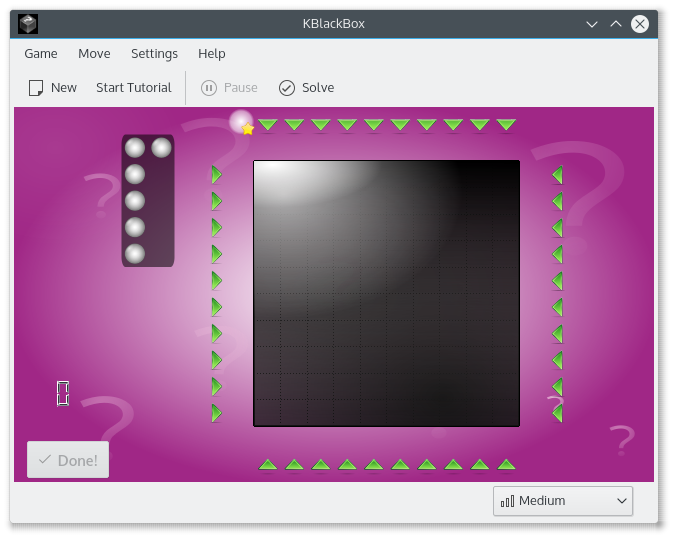



איך לשחק
Objective: Use laser beams to deduce the placement of the atomic particles inside the black box.
Using lasers and placing balls and markers deduce the position of the hidden atoms inside the black box.
The cursor can be moved around the box with the standard cursor movement keys or the mouse. Switching of lasers or marking of black boxes is done with the Left Mouse Button, or by pressing the Return or Enter key.
You can also drag and drop the balls and the markers with the mouse.
You can mark the fields where you think a ball cannot be, too. Just press the Right Mouse Button. It often helps you to find an area where a ball could possibly be. To clear any marks, press the same key or mouse button again.
When you think the configuration of balls you have placed is correct, press the "Done!" button. You will be informed whether you are correct or not, and be given your score.
If you placed any balls incorrectly, the right solution will be displayed.
מהדורות RSS
התקנות ליליות
ההתקנות הליליות של KBlackbox זמינות להורדה גם משרתי ההפצה של KDE. הגרסאות האלו מיועדות לבדיקה. אפשר להצטרף ולסייע לנו להפוך אותן לטובות יותר!
גרסה מעורערת.
נוצר מהגרסה העדכנית ביותר של ענף הפיתוח.
- Flatpak
Download the flatpakref file and open it with your software center for installation or run the following in a terminal:
flatpak install --user --or-update https://cdn.kde.org/flatpak/kblackbox-nightly/org.kde.kblackbox.flatpakref - Windows
- macOS על ARM
- macOS על אינטל