
KTorrent
Categories: ਇੰਟਰਨੈੱਟ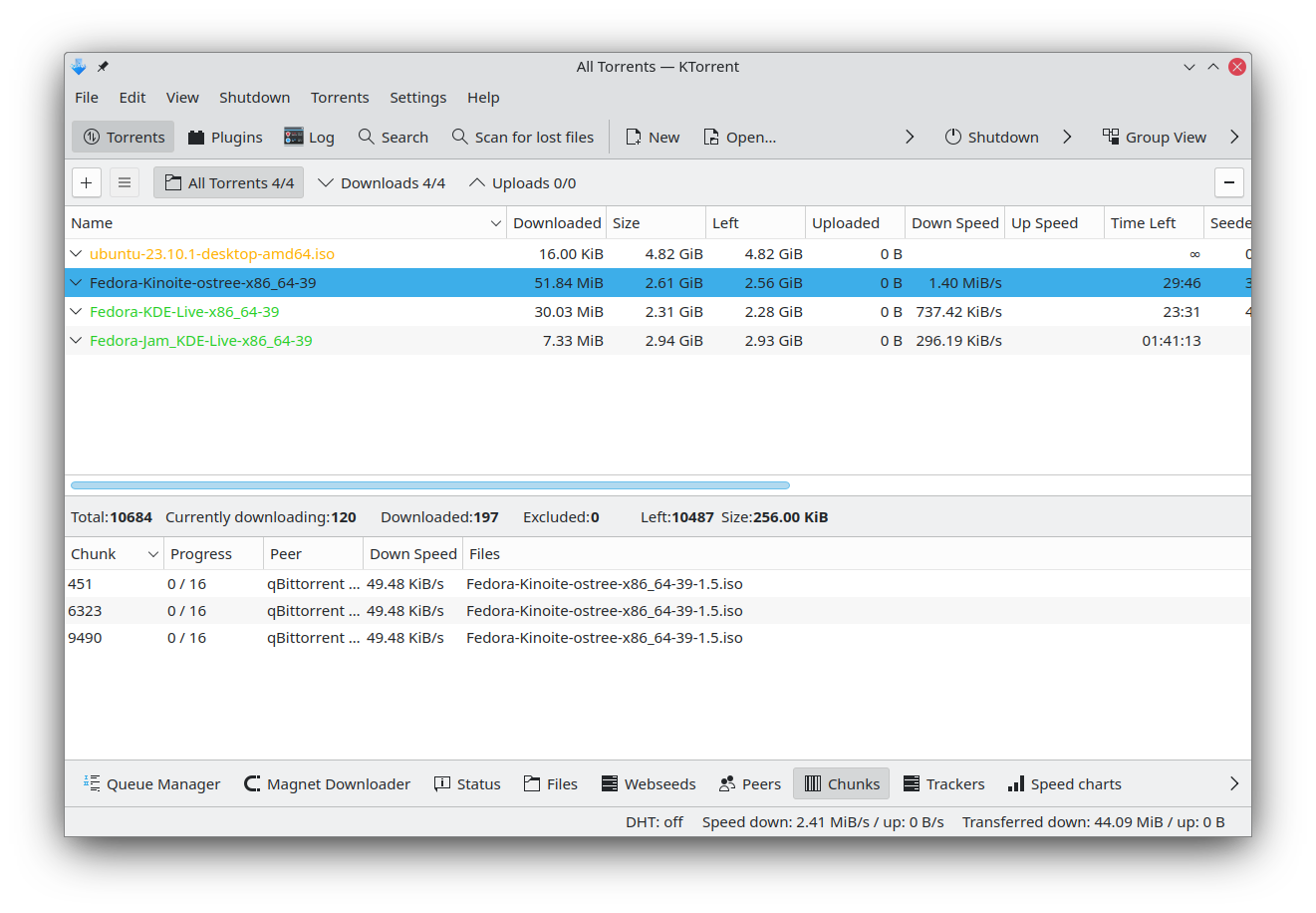
KTorrent is a BitTorrent application by KDE which allows you to download files using the BitTorrent protocol. It enables you to run multiple torrents at the same time and comes with extended features to make it a full-featured client for BitTorrent.
Features:
- Queuing of torrents
- Global and per torrent speed limits
- Previewing of certain file types, build in (video and audio)
- Importing of partially or fully downloaded files
- File prioritization for multi-file torrents
- Selective downloading for multi-file torrents
- Kick/ban peers with an additional IP Filter dialog for list/edit purposes
- UDP tracker support
- Support for private trackers and torrents
- Support for µTorrent's peer exchange
- Support for protocol encryption (compatible with Azureus)
- Support for creating trackerless torrents
- Support for distributed hash tables (DHT, the Mainline version)
- Support for UPnP to automatically forward ports on a LAN with dynamic assigned hosts
- Support for webseeds
- System tray integration
- Tracker authentication support
- Connection through a proxy
In addition to the built-in functionalities, there are some plugins available for KTorrent.

Install on
Linux


Releases RSS
26.08.2
2026-10-08
26.08.1
2026-09-10
26.08.0 2026-08-20
- Fixed a crash when disabling the Scan Folder plugin
- Fixed the data checker progress bar skipping to 100% when an error occurred or the checker was cancelled
- Added an option to the Shutdown plugin to quit KTorrent when a torrent is completed
- Fixed calculating the stalled time of a torrent. This fixes a bug where the torrent queue would randomly shuffle if the "Decrease priority of torrents which are stalled for more than x minutes" option was enabled.
- Fixed the peer country flags not being displayed correctly in the Information Widget plugin
- Improved the efficiency of parsing .torrent files by avoiding lots of memory allocations
- Fixed an incorrect calculation of number of peers for the ANNOUNCE response from a UDP tracker. This meant KTorrent was attempting to connect to non-existant peers
26.04.3
2026-07-02
26.04.2
2026-06-04
26.04.1 2026-05-07
- Fixed filters for different log levels in the Log Viewer plugin
- Fixed the way KTorrent's peer ID is created. Previously 26.04.00 was converted to "-KT2640-", now it is "-KT260400"
- Fixed a bug where KTorrent would try to connect to peers with TCP even if the only use uTP setting was enabled
26.04.0
2026-04-16
25.12.3
2026-03-05
25.12.2
2026-02-05
25.12.1
2026-01-08
25.12.0 2025-12-11
- Fixed a bug causing the magnets file to be constantly updated
- Fixed the progress bar highlight color
- Fixed the log viewer settings tooltip showing raw HTML
25.08.3
2025-11-06
25.08.2
2025-10-09
25.08.1
2025-09-11
25.08.0 2025-08-14
- Added a "Last Activity" column showing the time the torrent last had upload or download activity. These values are kept accurate among sessions, i.e. after restarting the app.
- Fixed the background color of the syndication widget's feed-item status panel
- Added columns to the main view showing the number of bytes uploaded and downloaded in the current session
25.04.3
2025-07-03
25.04.2
2025-06-05
25.04.1
2025-05-08
25.04.0
2025-04-17
24.12.3
2025-03-06
24.12.2
2025-02-06
24.12.1
2025-01-09
24.12.0 2024-12-12
- The "Added" column now uses a shorter date format
- Fixed a crash when closing the video widget
24.08.3 2024-11-07
- Accept webseeds using HTTPS
- Fixed charts having white text on a white background in the Statistics plugin
24.08.2 2024-10-10
- Fixed the Import Torrent dialog not allowing .torrent files to be selected
24.08.1
2024-09-12
24.08.0
2024-08-22
24.05.2
2024-07-04
24.05.1
2024-06-13
24.05.0 2024-05-23
- Added an action to rename files in the Info Widget context menu
- Save the magnets file whenever it is updated, so that magnet data is not lost if the app crashes
- Use a different icon for queued seeding and queued downloading
24.02.2
2024-04-11
24.02.1
2024-03-21
24.02.0 2024-02-28
- Ported to Qt 6
- Use a symbolic tray icon
- Improved the search plugin: removed redundant search bar; used removable tabs instead of a custom delete button; used icon-only buttons for Back, Forward and Reload
- Improved the spacings of various widgets, and ported much of the UI to use a new frameless look
- Fixed the country flags being in the Peers tab of the Info Widget
- Fixed the Import Torrent dialog failing to copy the given .torrent file
- Fixed the chunkbar tooltip not displaying the legend properly
- Disable logging to file by default to avoid unnecessary writes to the filesystem, the commandline argument `--enable-logging` can be passed to enable logging to file
- Fixed the chunkbar tooltip not displaying the legend properly
- Fixed global shortcut actions
23.08.5
2024-02-15